| Current version: 0.45.1 |
Current version: 1.30.0
|
Current version: 1.55.0.0
|
Current version: 0.26.0.0 |
|
|
|
Current version: 1.5.4
|
Current version: 0.3.0 |
Current version: 0.3.0
|
Current Version: 1.23.0
|
| |
|
 Fog in GLSL
By Jerome 'JeGX' Guinot - jegx_AT_ozone3d(dot)net
Initial draft: December 21, 2007
[ Index ]Page 1 | Page 2 | Page 3 | Page 4 | Page 5
 5 - Conclusion

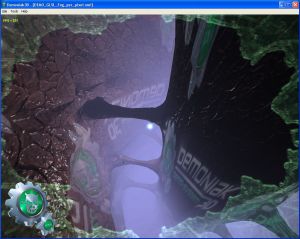
The fog is quite useful to add realism to certain scenes or to help reducing the deepness of the field of vision.
Because of the fact that the fog is computed at the fixed pipeline level, in the T&L and Texturing modules, it's necessary
to know how to compute it when the rendering uses programmable shaders. The per-pixel fog permits to obtain a good visual
quality but needs more GPU power.
6 - Complementary Reading
7 - Téléchargements

|
GLSL Fog Demoniak3D Demo Pack- (1174k)
Last Update: December 21, 2007
*** These source codes require Demoniak3D to work properly.
Demoniak3D is available here: [:: Demoniak3D Download ::].
|
8 - Acknowledgements
I wish to thank Vincent Manuceau (aka 'Jusan' on oZone3D.Net forums) for the good work of translating my french text in english.
I also wish to thank Benoît Rogez for the tutorial pre-release feedbacks. Thank you guys!
[ Index ]Page 1 | Page 2 | Page 3 | Page 4 | Page 5 |
|
| |




