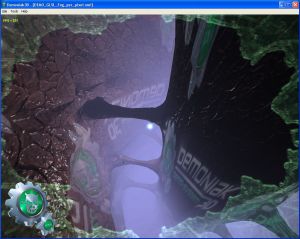
We shall see here how to compute the fog at each pixel level . The principle is exactly the same as by vertex.
The only difference resides in the determination of the distance between the camera and the currently processed pixel .
In the per-pixel fog computation, the vertex shader is inactive, because the calculus is made in the pixel shader .
In GLSL there exists a gl_FragCoord variable. This one is an input variable of the pixel shader.
gl_FragCoord contains the screen coordinates of the current pixel. For example, if the demo's window has a width of
1280 pixels, the following code :
if(gl_FragCoord.x < 700.0)
{
	gl_FragColor = vec4(0.0, 0.5, 0.0, 1.0);
}
else
{
	gl_FragColor = mix(gl_Fog.color, finalColor, fogFactor );
}
should give the following image :
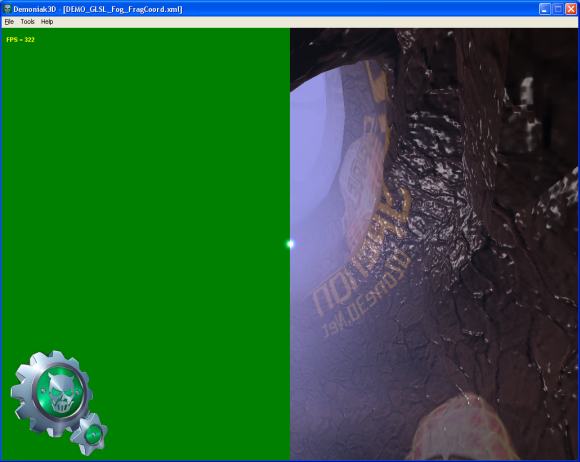
DEMO_GLSL_Fog_FragCoord.xml
The distance between the camera and the current pixel (the z axis value) is obtained by the following relation :
float z = gl_FragCoord.z / gl_FragCoord.w;
It is quite easy, thanks to this relation, to show a z-buffer view from the camera's point of view:
float z = 1.0 - (gl_FragCoord.z / gl_FragCoord.w) / 4000.0;
gl_FragColor = vec4(z, z, z, 1.0);
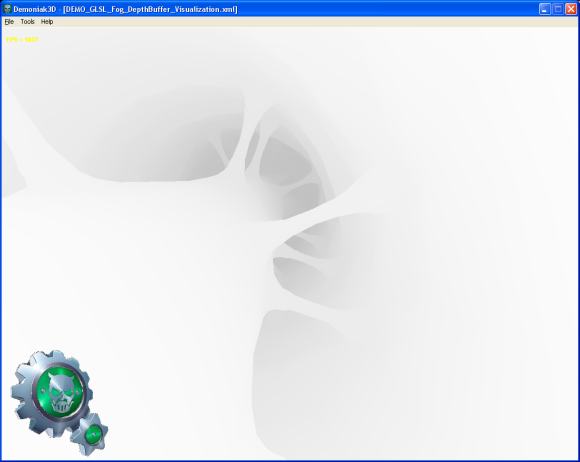
DEMO_GLSL_Fog_DepthBuffer_Visualization.xml
The 4000.0 corresponds to the far clipping plane (zfar), initialized in the Demoniak3D demo.
That said, let's come back to the fog computation. The following code show how to implement the fog calculus per-pixel:
const float LOG2 = 1.442695;
float z = gl_FragCoord.z / gl_FragCoord.w;
float fogFactor = exp2( -gl_Fog.density *
				   gl_Fog.density *
				   z *
				   z *
				   LOG2 );
fogFactor = clamp(fogFactor, 0.0, 1.0);

gl_FragColor = mix(gl_Fog.color, finalColor, fogFactor );