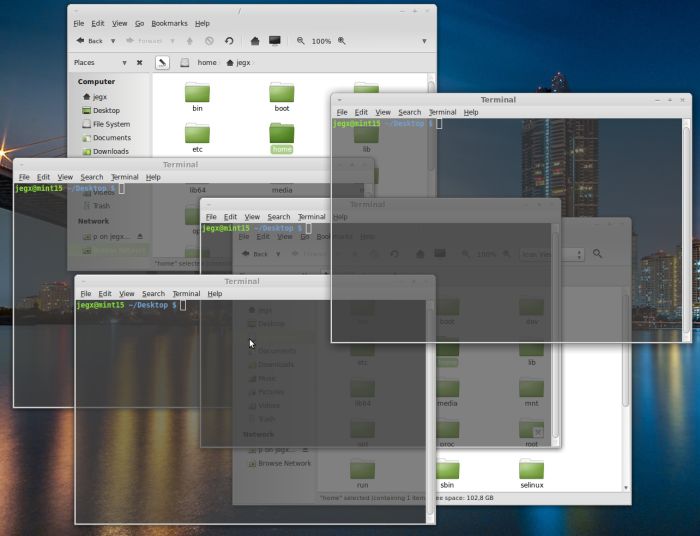
Yes my friends, this is a very useful utility if you use Gmail: Gmail Backup allows you to save all your messages with an easy to use Windows or Linux application:
The tutorial The Art of Texturing Using the OpenGL Shading Language has been included in OpenGL.org website in OpenGL API OpenGL Shading Language Sample Code & Tutorials section. Rather cool… ![]()

As I said in this news, the release of Catalyst 8.10 BETA comes with a nice bugfix: vertex texture fetching is now operational on Radeon (at least on my Radeon HD 4850). From 2 or 3 months, Catalyst makes it possible to fetch texture from inside a vertex shader. You can see with GPU Caps Viewer how many texture units are exposed in a vertex shader for your Radeon:

But so far, vertex texture fetching in GLSL didn’t work due to a bug in the driver. But now this is an old story, since VTF works well. For more details about vertex displacement mapping, you can read this rather old (2 years!) tutorial: Vertex Displacement Mapping using GLSL.
This very cool news makes me want to create a new benchmark based on VTF!

I’ve only tested the XP version of Catalyst 8.10. If someone has tested the Vista version, feel free to post a comment…
Next step for ATI driver team: enable geometry texture fetching: allows texture fetching inside a geometry shader…
See you soon!
I found this video about FluidMark:
It’s true, FluidMark is really boring. I’ll try to do better for the next benchmarks
I don’t know how but I can no longer start .cpl files. CPL files are also called control panel applet and can be started directly in command line. You can find more information about cpl file here.
What I wanted to do is to start PhysX.cpl to display PhysX Properties. After some searches, I found the solution. Just enter control followed by the cpl file in the run box of Windows:
control PhysX.cpl
and you should get this:

I played with Depth Of Field (DoF) these last days in the upcoming Demoniak3D but I’m not very satisfied because I still have some problem to control the focus (the non blurred part of the field of view). Depth of field is done in a post processing step and uses the scene color and depth maps as only inputs (no multiple render targets). Here is a first preview:

I will continue my experimentations up to get a functional DoF and will add the support of MRT (multiple render targets) in the post processing effects (MRT will allow me to explore another cool effect: SSAO…).
I’ve coded today a small gamma correction filter in Smode. I’ll talk about gamma correction a little bit more very soon with a Demoniak3D demo. Here is the result on a simple scene: a teapot lit with a Phong shader.
The following image shows the rendering of the scene done in the usual manner, I mean without gamma correction:

and now the same scene gamma-corrected (factor 2.2):

Under Visual Studio 2005 (VC8), you can enable the multithreaded build of projects. This great feature makes it possible to use several CPUs to build your projects. This is a per-project setting and it’s done in command line: /MPx where x is the number of cores you want to use. Example: /MP2 to use 2 CPUs if you have (like me) a core2duo.
I’ve done some tests with Demoniak3D:
- Demoniak3D (default): Build Time 0:33
- Demoniak3D (/MP2): Build Time 0:15
Great boost in productivity of large projects!
Some users have reported that FurMark 1.4.0 has the Trojan-Downloader.Win32.Agent.vpx. I did this morning the scan with the latest version of Kaspersky and the very latest version of their database. Kaspersky hasn’t found any threat or trojan in FurMark setup installer nor in FurMark root directory. FurMark is clean. MajorGeeks and Softpedia are very good proofs of FurMark’s cleanness.
I did some searches over the Net and I found that others users have some false alarms. I guess the problem comes from the InnoSetup (the utility used to create FurMark_Setup.exe) and depends of the version of Kaspersky’s database. So if you have Kaspersky antivirus, be sure to update it with the latest database.
I sent FurMark_Setup.exe to Kaspersky Lab and I just receive the reply from the Virus Analyst:
”I suppose it WAS a false alarm, and it has been already fixed.”
This time everything is ok!
During the conversion of shaders written in Cg/HLSL, we often find the saturate() function. This function is not valid in GLSL even though on NVIDIA, the GLSL compiler accepts it (do not forget that NVIDIA’s GLSL compiler is based on Cg compiler). But ATI’s GLSL compiler will reject saturate() with a nice error. This function allows to limit the value of a variable to the range [0.0 - 1.0]. In GLSL, there is a simple manner to do the same thing: clamp().
Cg code:
float3 result = saturate(texCol0.rgb - Density*(texCol1.rgb));
GLSL equivalent:
vec3 result = clamp(texCol0.rgb - Density*(texCol1.rgb), 0.0, 1.0);
BTW, don’t forget all float4, float3 and float2 which correct syntax in GLSL is vec4, vec3 and vec2.
Are you ready for a small velvet GLSL shader? Here’s one, at least a preview of the one I’ve just coded for a demo with Smode. Smode… a software dedicated to create… demos! And the cool thing, is that Smode demos will be also available for Demoniak3D. Don’t look for Smode, it’s not available for you, public… Only few people on this planet are enough lucky to play with. But if you really want to touch it, just drop me an email…

As soon as the next release of Demoniak3D, the 1.24.0 (or better the 1.30.0 because of the huge amount of changes), will be ok, I’ll put online the velvet demo with its nice GLSL shader. And if I’m late, don’t hesitate to post a small message to wake me up!
A user from oZone3D.Net forum asked me some info about the GLSL support of Intel graphics chips. It’s wellknown (sorry Intel) that Intel has a bad OpenGL support in its Windows drivers and even if Intel’s graphics drivers support OpenGL 1.5, there is still a lack of GLSL support. We can’t find the GL_ARB_shading_language_100 extension (this extension means the graphics driver supports the OpenGL shading language) and this extension should be supported by any OpenGL 1.5 compliant graphics driver. You can use GPU Caps Viewer to check for the avaibility of GL_ARB_shading_language_100 (in OpenGL Caps tab).
Here is an example of a Intel’s graphics driver that support openGL 1.5 without supporting GLSL:
- Mobile IntelR 965 Express Chipset Family
For more examples, look at users’s submissions here: www.ozone3d.net/gpu/db/
Okay this is my analysis, but what is the Intel point of view? Here is the answer:
- x3100 & OpenGL Shader (GLSL) thread
- Intel’s answer
I think GLSL support with Windows is not a priority for Intel…
Packing a [0-1] float value into a 4D vector where each component will be a 8-bits integer:
vec4 packFloatToVec4i(const float value)
{
const vec4 bitSh = vec4(256.0*256.0*256.0, 256.0*256.0, 256.0, 1.0);
const vec4 bitMsk = vec4(0.0, 1.0/256.0, 1.0/256.0, 1.0/256.0);
vec4 res = fract(value * bitSh);
res -= res.xxyz * bitMsk;
return res;
}
Unpacking a [0-1] float value from a 4D vector where each component was a 8-bits integer:
float unpackFloatFromVec4i(const vec4 value)
{
const vec4 bitSh = vec4(1.0/(256.0*256.0*256.0), 1.0/(256.0*256.0), 1.0/256.0, 1.0);
return(dot(value, bitSh));
}
Source of these codes: Gamedev forums
I found this cool random generator on rgba’s website. rgba is a wellknown demoscene group specialized in 4k prods. This random generator is used in their prods:
static unsigned int mirand = 1;
float sfrand( void )
{
unsigned int a;
mirand *= 16807;
a = (mirand&0x007fffff) | 0x40000000;
return( *((float*)&a) - 3.0f );
}
It produces values in the range [-1.0; 1.0].
You can find the making of this random gen HERE.
Here is a small piece of code that can be useful if you need to quickly generate traces (or log) in your apps:
class cLog
{
public:
cLog(char *logfile){};
static void trace(const char *s)
{ if(s) log << s << std::endl; };
static std::ofstream log;
};
std::ofstream cLog::log("c:\\app_log.txt");
Just use it as follows:
cLog::trace("this is a log");
cLog::trace("this is a second trace");
Hey guys, if you don’t know Chuck Norris Facts, jump here: www.chucknorrisfacts.com

Here is an extract:
- Chuck Norris played Russian Roulette with a fully loaded gun and won.
- Chuck Norris is a vegetarian. Meaning, he does not eat animals until first he puts them into vegetative state with his fists.
- Chuck Norris knows the last digit of pi.
- If you spell Chuck Norris in Scrabble, you win. Forever.
- Chuck Norris doesn’t shower, he only takes blood baths.
Have fun with Chuck Norris!


Recent Comments