We will now use another technique, based on the one used in the game Doom 3. This technique uses two particularities of the
DXT5 compression format.
The first particularity is that the alpha canal is compressed except for the three others red, green and bleu. This means that
the value contained in the alpha canal is not changed too much during the compression.
The second particularity is that the 3 canals RGB (Red Green Blue) are stocked on 16 bits in the following
format: 5_6_5, that is to say 5 bits for the red canal, 6 bits for the green one and finally 5 bits for the blue one.
The result is that the green canal is more precise than the other two.
But how will we exploit these 2 particularities? By simply using the base relation of a normal vector:
z = sqrt( 1 - x*x + y*y );
This very simple mathematical relation simply shows us that the knowledge of the X and Y coordinates of the normal vector
permits us to calculate the third coordinate Z. More simply, the normal-map only needs the X and Y coordinates. Each texel
of our normal-map contains the RGB triplet. The red canal represents the X coordinate, the green canal the Y coordinate and the blue
canal the Z coordinate. The first particularity will be exploited and the red canal will be stocked in the fourth canal, the
alpha canal. The second particularity will be exploited in the calculation of Z by using the value contained in the green
canal (Y) in the relation seen just before. The calculation of the normal vector is given in the following piece of code:
vec3 bump;
bump.xy	= (texture2D(normalMap, uv).ag * 2.0) - 1.0;
bump.z = sqrt(1.0 - dot(bump.xy, bump.xy));
This small piece of code shows a quite practical functionality of the GLSL (and available in the other languages like Cg or
the HLSL of Direct3D): the swizzling. The swizzle operator allows us to rearrange the components of a vector as we wish.
In our case, we transfer the component a in x while the component g remains in y...
The DXTViewer tool will reveal itself as being essential here as it will permit us
to create a DXT5 type compressed normal-map with the red canal injected into the alpha canal. To do so, it is simply necessary
to load an uncompressed normal-map with 'RGBA Byte Texel' and 'Inject Red Channel into Alpha Channel' selected:
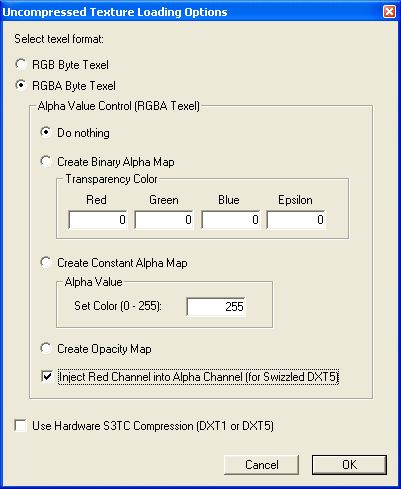
Fig. 7 - DXTViewer: Swizzled DXT5 normal map creationThe only thing we have to do after is to save the normal map in O3TC (or DDS, as you want!) format specifying DXT5 compression:
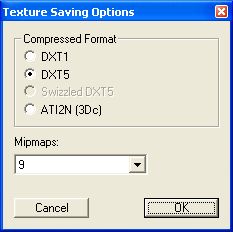
Fig. 8 - DXTViewer: DXT5 savingThis technique is somewhat similar to the one used with the ATI 3Dc format, technique that we will show after.
The result of this modification (available in the bump_map_compressed_swizzled_dxt5.xml file) is visible in picture 9:
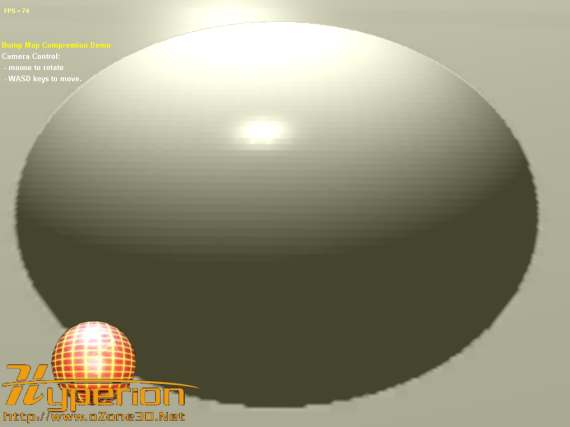
Fig. 9 - Compressed bump map (DXT5) with the generation of the Z coordinateThe specular reflections are now correct and the result is globally satisfactory. But we can do better as we are going to see!