| Current version: 0.45.1 |
Current version: 1.30.0
|
Current version: 1.55.0.0
|
Current version: 0.26.0.0 |
|
|
|
Current version: 1.5.4
|
Current version: 0.3.0 |
Current version: 0.3.0
|
Current Version: 1.23.0
|
| |
| 
Demoniak3DCode Samples
» Back to Code Samples Index
» Motion Paths» Character Animation
|
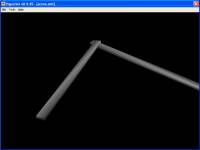
This code sample shows how to achieve a simple Inverse Kinematic (IK).
It shows how to declare different submeshes of a 3D model in order to access them to perform special actions.
This is done through a LUA scripting code to generate a movement in the ground plane (2D calculus).
Keywords: scene - camera - light - model - mesh - script
|
|
|
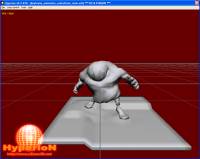
This code shows how to perform character animation.
It shows how to get a good result by setting a simple frame to frame animation.
The animation is performed through the LUA scripting code.
Bigguy 3D model comes from nVidia 9.1 SDK (Dynamic Ambient Occlusion Lighting demo). ThanX to nVidia!
Keywords: scene - camera - light - model - script - HYP_Model.Load - HYP_Object.SetLightingState - HYP_Object.SetRenderState - HYP_GetElapsedTime
|
|
|
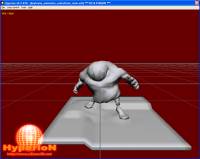
This code shows how to perform character animation.
It shows how to get a good result by setting a keyframe animation using a linear interpolation.
The animation is performed through the LUA scripting code.
Keywords: scene - camera - light - model - script - HYP_Model.Load - HYP_Model.GetFirstSubMesh - HYP_Object.SetLightingState - HYP_Object.SetRenderState - HYP_GetElapsedTime - HYP_Mesh.DoTweening
|
|
|
|
| |