» Back To Benchmarks Index
|
|
|
| 
» Download
» ChangeLog
Download

|
PhysX FluidMark v1.0.0 - Windows XP / Vista 32-bit (2008.08.11) *** PhysX FluidMark *** requires NVDIA ForceWare 177.83 graphics drivers (they constain the PhysX System Software 8.08.01) or higher.
If you do not have a GeForce graphics card, you have to install the PhysX System Software 8.08.01.
You might also need the CUDA DLL (this DLL has to be copied in the benchmark folder
if your Forceware drivers are < 177.79 or if you don't have a GeForce (Radeon, etc.)).
Black screen issue: a fix can be found in this threadThe forum for scores or bug report, is here: Benchmarking @ oZone3D.Net Forums
Related FluidMark News
PhysX FluidMark has been successfully tested on the following systems:
- Core 2 Duo 8400 / 2048M DDR3 / Windows XP SP2 / NVIDIA GeForce GTX 280 / Forceware 177.79 / PhysX 8.07.18
- AMD X2 3800+ / 2048M DDR2 / Windows XP SP2 / Catalyst 8.6 / PhysX 8.07.18
PhysX FluidMark is a freeware, it cannot be sold or rented. You can copy it and distribute it freely.
In case of distribution (CDROM, ...), just send a little email to jegx[AT]ozone3d[DOT]net and add [PHYSX-FLUIDMARK] to the mail subject.
|
Detailed Description
PhysX FluidMark is a physics benchmark based on NVIDIA PhysX engine.
This benchmark performs a fluid simulation by imitating the renderering of lava. Real physics parameters such as viscosity are used.
SPH (Smoothed Particle Hydrodynamics) algorithm is enabled to increase the realism of the simulation.


Fluid simulation with PhysX will be added very soon to the demotool Demoniak3D and
you will be able to code your own PhysX real time 3D scenes!
PhysX FluidMark can run in pure software mode (all calculations are done on the CPU), or in hardware mode. Hardware mode includes
2 kinds of hardware:
- Ageia PhysX PPU
- GeForce PhysX - GeForce 8/9/GTX200 graphics cards only
PhysX FluidMark requires the ForceWare 177.83 or higher to be installed.
If you do not have a GeForce graphics card, you have to installe the PhysX System Software 8.08.01.
To select and enable one of the previous 3 modes, start PhysX FluidMark:

and click on [Display PhysX Properties] to launch PhysX Properties control panel. Then select the Settings tab:

Now you can select the mode you want (No Acceleration, GeForce PhysX or Ageia PhysX). Now you are ready to start the benchmark.
A small comparison between CPU/PPU/GPU is available at Geeks3D.
This benchmark exploits OpenGL for graphics acceleration and requires an OpenGL 2.0 compliant graphics card:
NVIDIA GeForce 5/6/7/8/9/GTX200 (and higher), AMD/ATI Radeon 9600+, 1k/2k/3k/4k (and higher) or a S3 Graphics Chrome 400 series
with the latest graphics drivers.

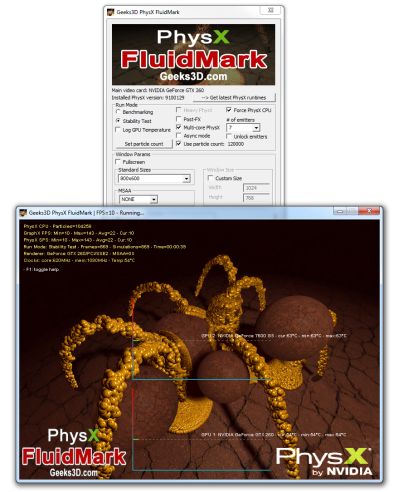
The startup interface allows you to tweak the benchmark features such as:
- Benchmark mode or stability test / interactive mode. Interactive mode makes it possible to move the camera (mouse) and to pause PhysX engine (with P key).
- Fullscreen or windowed for each type of run mode
- Window size selection (standard or custom)
- MSAA samples selection
- Benchmarking parameters: time based or frames based
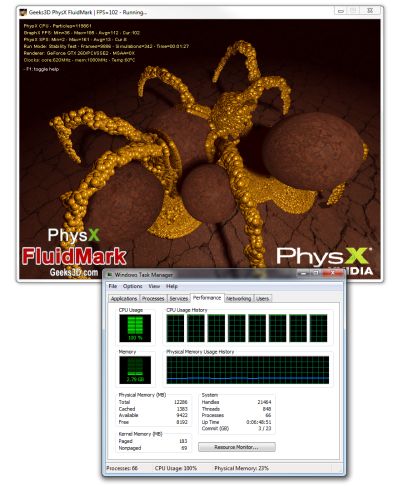
Interactive mode allows you to go under the ground and see the simulation from another point of view:

At the end of the benchmark the following dialog box is displayed:

You can submit your score online by clicking on [Submit Your Score]. This action sends score data to the oZone3D.Net server
and you get in return a validation ID that allows an online checking of the score. The scores webpage is here:
PhysX FluidMark Scores @ oZone3D.Net.
ChangeLog
Version 1.0.0 - August 10, 2008
FluidMark Featured in other Websites