Wak Exporter - 3D Studio MAX Plugin
- Demoniak3D -
 |
|  |
|  |
|  |
|  » Download
» Description
» Installation
» ChangeLog
Download
» Download
» Description
» Installation
» ChangeLog
Download


|
Wak Exporter v0.2.0 ALPHA for 3D Studio MAX 7 / 8
32-bit version - (175k)
Release date: Novembre 7, 2007
Wak Exporter v0.2.0 ALPHA for 3D Studio MAX 9
32-bit version - (175k)
Release date: February 19, 2008
Demoniak3D Simple Demo - (198k)
Release date: Novembre 7, 2007 - This demo requires Demoniak3D
Wak Exporter is a freeware, it cannot be sold or rented. You can copy it and distribute it freely.
In case of distribution (CDROM, ...), just send a little email to jegx[AT]ozone3d[DOT]net and add [WAK_EXPORTER] to the mail subject.
|
Description
Wak Exporter is a small plugin that allows to export a 3D model from 3D Studio MAX version 7/8/9 32-bit. Wak is available in two versions, free (XML) and not free (O3MF - contact me: jegx (AT) ozone3d.net).
The 3D XML model format generated by the Wak plugin is very simple and then it's quite easy to code a loader for this format.
For the moment, only Demoniak3D can load this format.
The 3D model format created by Wak exports the following informations:
- number of meshes and materials
- for each material: material name, ambiant, diffuse, specular components as well as the textures.
- for each mesh: mesh name, vertices and faces lists.
- for each vertex: position, normal, UV map unity 0 up to unity 7 (then up to 8 texture coordinates par vertex).
- for each face: vertex index list (3 vertices per face) and material index
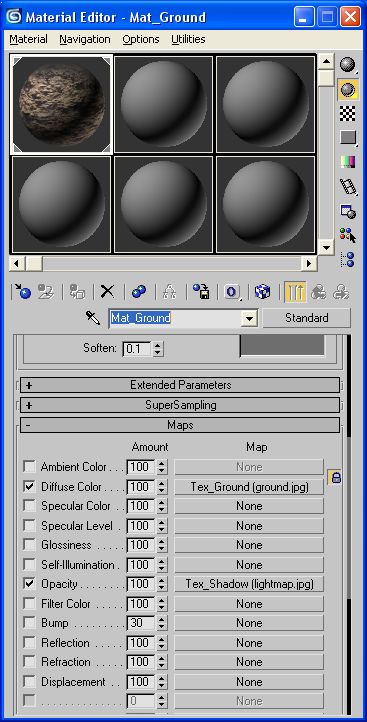
A XML sample is provided with the plugin (Plane.XML): it's a simple plane with a ground texture and a lightmap as shown in the following image:
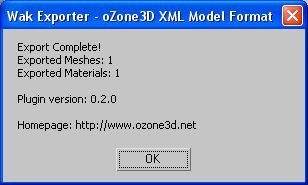
At the end of the export, Wak displays the following dialog box:
Wak Exporter is currently in alpha version, so don't hesitate to send me your feedbacks (at jegx AT ozone3d. DOT net) in order I improve it.
Installation
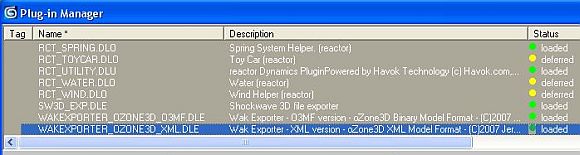
Installing the Wak Exporter is very easy: just copy the plugin (WakExporter_oZone3D_XML.dle) in 3D Studio MAX "plugins" directory. To verify that Wak is properly installed,
open 3D Studio MAX Plugins Manager and look for Wak plugin into:
ChangeLog
Version 0.2.0 - February 19, 2008
- First release - version alpha for MAX 9, 32-bit only.
Version 0.2.0 - November 7, 2007
- First release - version alpha for MAX 7 and 8, 32-bit only.
![oZone[3D].Net - About](/images/banner_blank.jpg)




