| Current version: 0.45.1 |
Current version: 1.30.0
|
Current version: 1.55.0.0
|
Current version: 0.26.0.0 |
|
|
|
Current version: 1.5.4
|
Current version: 0.3.0 |
Current version: 0.3.0
|
Current Version: 1.23.0
|
| |
| 
Demoniak3DCode Samples
» Back to Code Samples Index
|
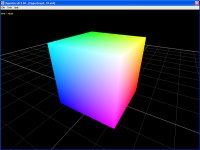
Shows how to use a simple vertex pixel shader written in GLSL (OpenGL Shading Language).
Keywords: scene - check_hardware_caps - camera - model - material - shader_program_name - shader_program
|
|
|
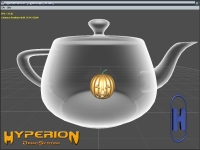
Shows an example of X-Ray Shader. The original shader comes from ATI's ASHLI software.
Keywords: scene - check_hardware_caps - camera - model - material - shader_program_name - shader_program - constant_1f
|
|
|
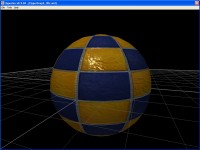
Shows how to load automatically normal map whew loading models
using loading_option element of model node.
Shows a simple GLSL material bump mapping shader.
Keywords: scene - check_hardware_caps - camera - texture - material - shader_program_name - shader_program - constant_1i - vertex_attrib - model - loading_option - compute_vertices_normals - load_normal_map - compute_tangent_space_vectors - free_pixmap_after_upload
|
|
|
Shows how to clone model with LUA script.
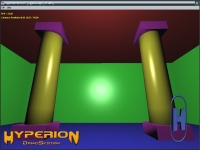
Shows how to setup Vertex and Pixel Shader, written in GLSL
(OpenGL Shading Language), to light up scene. Shows the influence of ambient, diffuse and specular terms of light and materials.
Keywords: scene - check_hardware_caps - camera - texture - material - shader_program_name - shader_program - model - script
|
|
|
Shows how to clone model with LUA script.
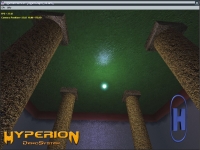
Shows how to setup Vertex and Pixel Shader, written in GLSL
(OpenGL Shading Language), to light up and texture the
scene. Shows an example of a shader bump mapping.
Keywords: scene - check_hardware_caps - camera - texture - material - shader_program_name - shader_program - script - model - loading_option - compute_vertices_normals - compute_tangent_space_vectors
|
|
|
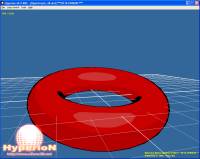
Shows a cartoon shader.
Keywords: scene - check_hardware_caps - camera - material - shader_program_name - shader_program - mesh - torus
|
|
|
Shows how to use several dynamic lights in shader programs.
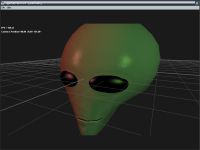
Shows a very cool alien head done by Satyr.
Shows how to setup widescreen with hud.
Keywords: scene - check_hardware_caps - camera - material - shader_program_name - shader_program - model - loading_option - compute_vertices_normals - compute_tangent_space_vectors
|
|
|
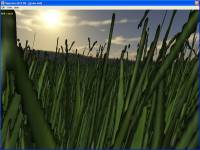
Shows how move grass (simple quad) with GLSL vertex shader.
Shows binary alpha map and hardware alpha-test.
Keywords: scene - check_hardware_caps - camera - skybox - texture - mesh - binary_alpha_map_color - create_binary_alpha_map - script - primitive - quad - alpha_test_params - material - shader_program_name - shader_program - constant_1i - constant_1f
|
|
|
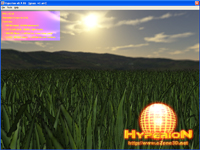
Shows how to do animated grass using a GLSL vertex shader.
Shows how to use mesh vbquad (an optimized quads array) to improve speed. Shows also the
impact of trilinear filtering and mipmapping to incrase speed.
Keywords: scene - check_hardware_caps - camera - skybox - texture - binary_alpha_map_color - create_binary_alpha_map - num_mipmaps - TRILINEAR - script - primitive - quad - alpha_test_params - material - shader_program_name - shader_program - constant_1i - constant_1f - mesh - VB_QUAD
|
|
|
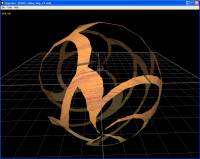
Shows how to inject an apha map into the alpha channel of a texture and how to perform the alpha testing in the pixel shader.
Keywords: alpha map - inject_opacity_map - pixel shader - discard
|
|
|
|
| |





