| Current version: 0.45.1 |
Current version: 1.30.0
|
Current version: 1.55.0.0
|
Current version: 0.26.0.0 |
|
|
|
Current version: 1.5.4
|
Current version: 0.3.0 |
Current version: 0.3.0
|
Current Version: 1.23.0
|
| |
| 
Demoniak3DCode Samples
» Back to Code Samples Index
|
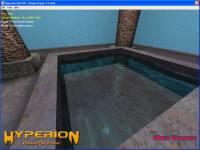
his code sample shows how to use several cameras and how to switch from one
to another by linking function from the LUA API with hotkeys.
It shows how to setup reflective surface to simulate water movement.
This demo requires DOT3 Bump Mapping support.
Press F1 or F2 to change active camera.
Keywords: hotkey - script - EXECUTE_EACH_FRAME - camera - mesh - model - lua
|
|
|
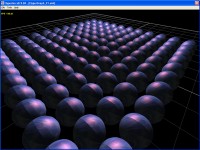
Shows how to clone mesh in LUA script.
Keywords: for loop - HYP_Object.SetRenderState - HYP_Object.SetLightingState - HYP_Object.SetTexturingState - HYP_Object.SetPosition - HYP_Object.RemoveSeam - HYP_Object.SetVBOState - EXECUTE_ONCE - EXECUTE_EACH_FRAME - camera - mesh - lua
|
|
|
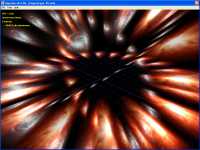
Shows how to use the ring mesh to do a shockwave effect.
Shows how to use the sound to increase the explosion realism.
Shows how to shake the camera with explosion.
Keywords: mesh - RING - script - EXECUTE_ONCE - EXECUTE_EACH_FRAME - hotkey - audio - font - text_2d
|
|
|
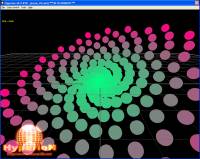
Shows to use of LUA HYP_Scene, HYP_Object and HYP_Mesh libraries
and some simple math in order to create a cool spiral.
Keywords: HYP_Object.Clone - HYP_Object.SetRenderState - HYP_Object.SetVBOState - HYP_Scene.RemoveObject - HYP_Object.AddChild - HYP_Object.SetPosition - HYP_Mesh.SetVerticesColor
|
|
|
|
| |