Geeks3D latest news

FurMark
Current Version: 1.9.2
»FurMark homepage
»FurMark 1.9.x Submissions

GPU Caps Viewer
Current Version: 1.15.0
»GPU Caps Viewer homepage
»GPU DB Submissions

PhysX FluidMark
Current Version: 1.4.0
»FluidMark homepage
»FluidMark 1.4.x Submissions

GeeXLab
Current Version: 0.3.3
»GeeXLab homepage
»GeeXLab Overview

GPU Shark
Current Version: 0.5.5
»GPU Shark homepage

TessMark
Current Version: 0.3.0
»TessMark homepage

ShaderToyMark
Current Version: 0.3.0
»ShaderToyMark homepage
»ShaderToyMark Scores

Blogs
»JeGX's HackLab

Geeks3D's Articles
»GPU Memory Speed Demystified

»Multi-Threading Programming Resources

»GeForce and Radeon OpenCL Overview

»How to Get your Multi-core CPU Busy at 100%

»How To Make a VGA Dummy Plug

»Night Vision Post Processing Filter


Demoniak3D
Current Version: 1.23.0
»Demoniak3D
»Download
»Libraries and Plugins
»Demos
»Online Help - Reference Guide
»Codes Samples

Language

Language:

3D Graphics Search Engine:

The Geeks Of 3D


oZone3D.Net - Demoniak3D Code Samples

Demoniak3D

Code Samples

» Back to Code Samples Index
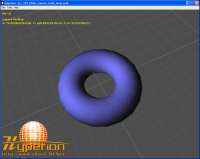


Code Sample 108  

This code shows how to detect and use the mouse buttons in LUA.

Keywords: HYP_Input.GetMouseButtonState


Code Sample 109  

Shows how to reprogram the EXAMINE (or orbit) mode of the camera with LUA.

Keywords: HYP_Input.SetDefaultInputManagementState - HYP_Input.GetMouseButtonState- HYP_Input.GetMousePos


Code Sample 110  

This code shows how to detect and use the keyboard keys in LUA.

Keywords: HYP_Input.IsKeyboardKeyPressed


Code Sample 111  

This code shows how to detect and use the jostick buttons and position in LUA.

Keywords: HYP_Input.GetJoystickPosition - HYP_Input.GetJoystickButtonState


Page generated in 0.063361883163452 seconds.